


AI agents8 min read
AI Agents With Guardrails for Business Operations
How to run AI agents safely in business operations: least-privilege tools, human approvals, secrets isolation, audit logs, prompt injection defences and rollout.
Read article
AI agent
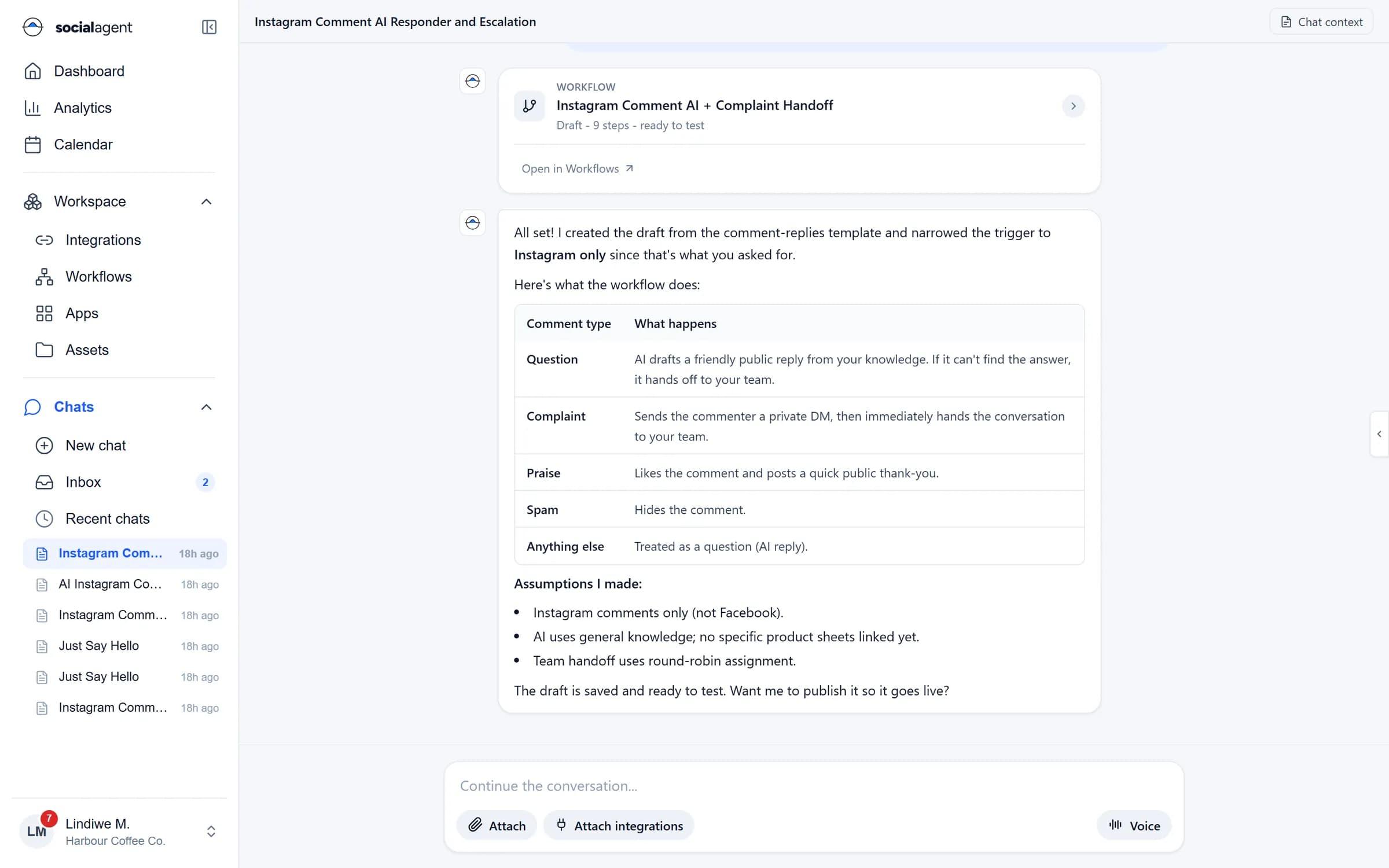
Describe what you need and the agent drafts the campaign, builds the workflow or answers the customer, using the channels and systems you have connected. It works inside your permissions and asks before it acts.
AI agent
Posts, WhatsApp templates, broadcasts and emails written for each network and audience.
Describe a process and get a draft workflow you can review, test and publish.
Replies on WhatsApp and social from your own knowledge, and hands over when unsure.
Tools run on the server with stored credentials. The model only sees results.
Anything that sends, posts, writes or runs can require a person to approve first.
Every tool call, approval and message is recorded in the audit log.
Chat
Ask for a week of posts, an Instagram comment workflow or a broadcast to last month's customers. The agent explains what it did and what it assumed, and waits for your go ahead.
Customer conversations
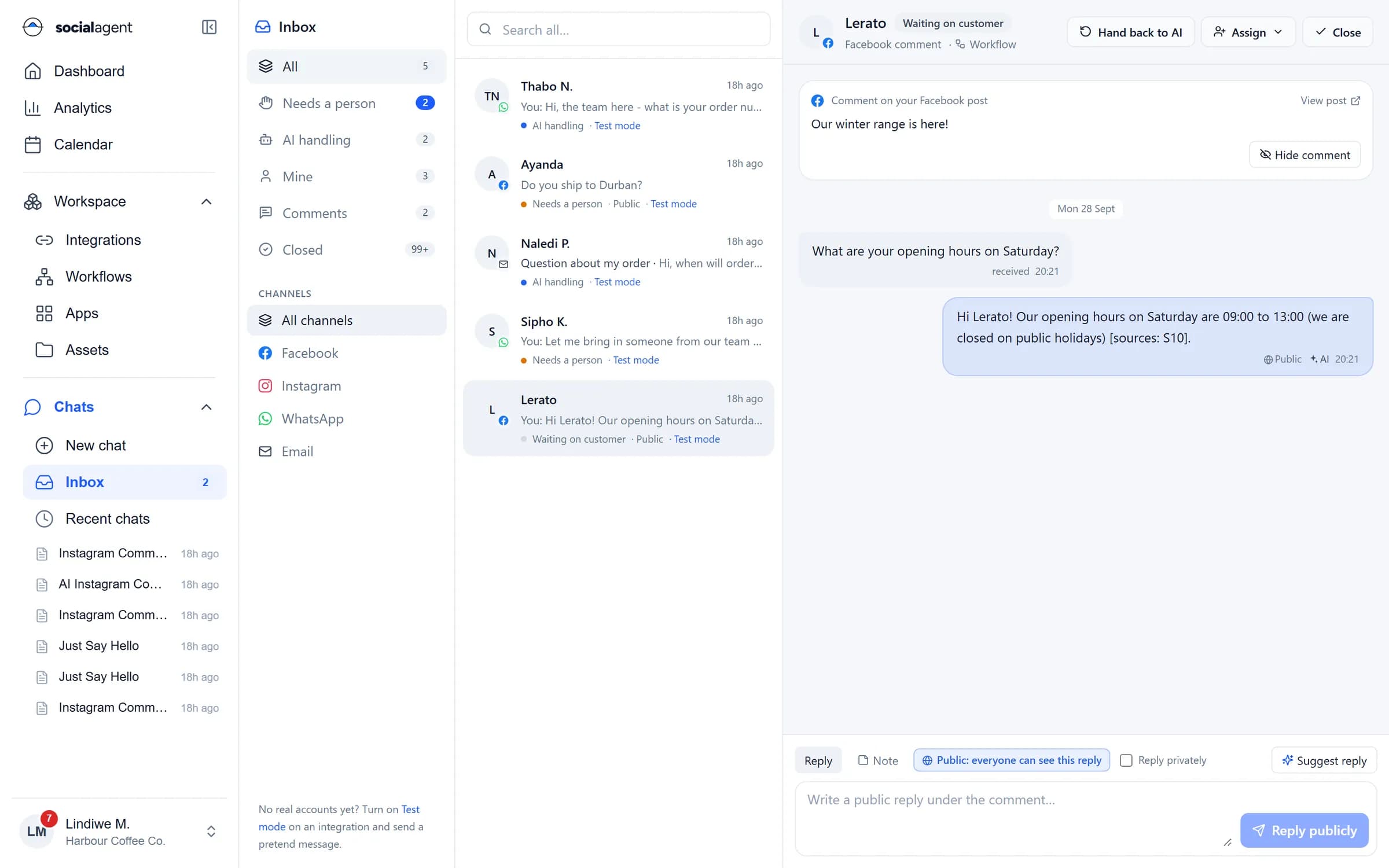
The agent greets customers, answers from your knowledge with sources, and hands the conversation to a person for complaints, stock questions and sales, with the full context.
Guardrails
Each chat and workflow only gets the integrations you attach, with the permissions you set. Side effects wait for approval, and inbound messages cannot talk the agent into using tools it was never given.

One platform
Every product shares the same integrations, permissions, approvals and audit trail.
Guides
How to run AI agents safely in business operations: least-privilege tools, human approvals, secrets isolation, audit logs, prompt injection defences and rollout.
Read article
Build no-code workflows that connect databases and APIs: triggers, steps, safe SQL, API retries and idempotency, webhooks, error alerts and three worked examples.
Read article
Set up a WhatsApp shared team inbox with routing, labels, saved replies and automation, while keeping a human in the loop and measuring response times.
Read articleSocial Agent routes requests to leading large language models through a managed gateway. Enterprise plans can discuss model choice and custom fine-tuning.
No. Credentials are stored encrypted on the server and used only when a tool runs. The model receives the result of a tool call, never the credential.
Only where you allow it. Sending, posting, writing to a database and running commands can each require approval, per chat or per workflow.
Your workspace data is used to answer your requests. See our privacy policy for how data is processed, and contact us for enterprise data terms.
Connect a channel, ask for your first campaign and approve what the agent drafts.