



Skip to content

Social media

Publish everywhere from one calendar, with approvals built in

Turn one brief into posts for every network, route them through the right approvers, schedule them and see what actually performs. Campaigns, comments and analytics live next to your WhatsApp and email.

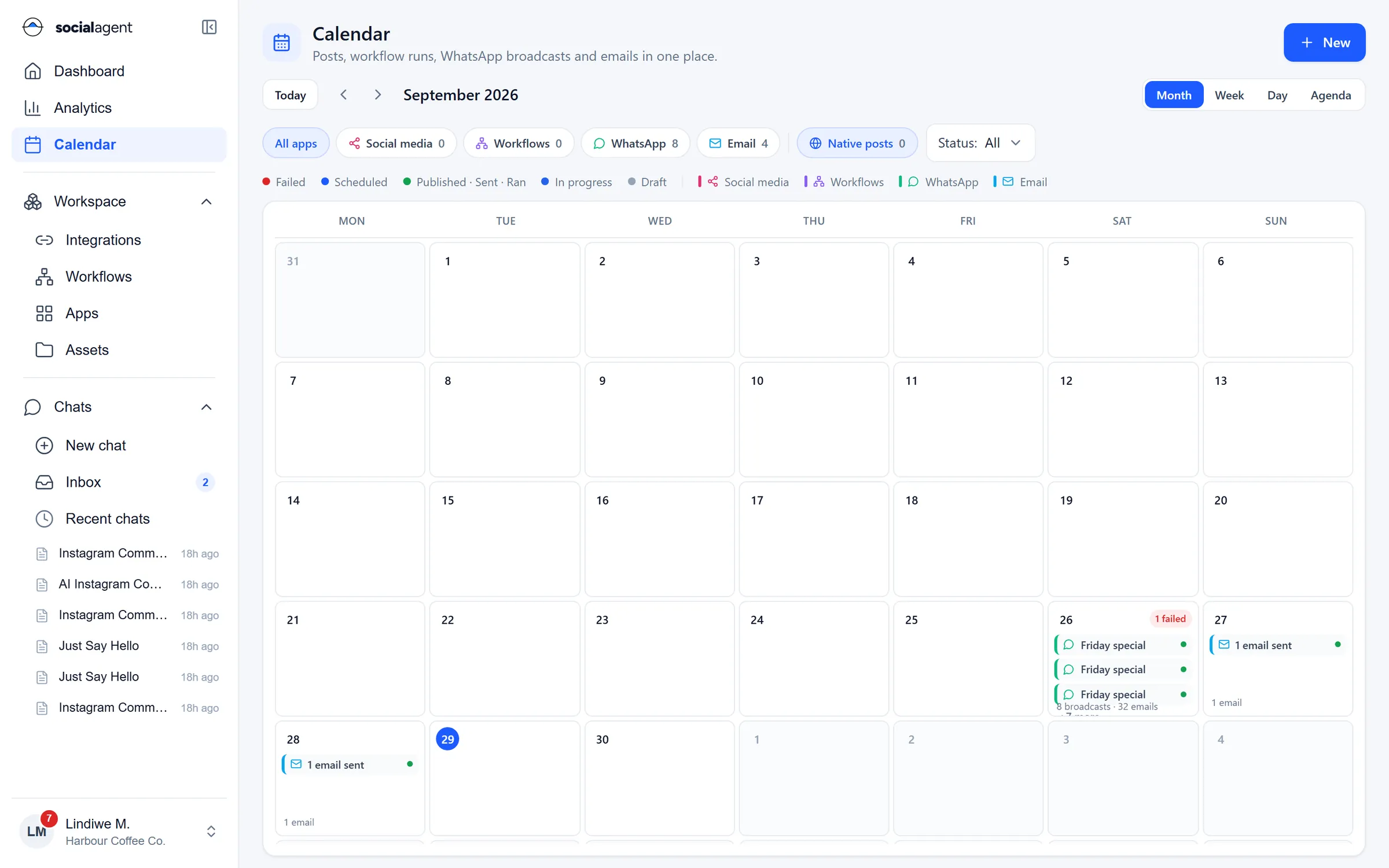
Calendar with social posts, workflow runs, WhatsApp broadcasts and emails in one month view

Social media

From brief to results

  • AI drafts

    Describe the campaign once and get platform-ready drafts for each network, in your tone.

  • Approvals

    Creators, approvers and publishers each see what they need. Nothing goes live without sign-off.

  • One calendar

    Posts, broadcasts, emails and workflow runs on one calendar, filtered by app and status.

  • Comments and replies

    Reply to comments from the inbox, or let a workflow triage questions, praise and complaints.

  • Campaigns

    Group posts and messages into campaigns so results add up across channels.

  • Analytics

    Engagement, reach and content performance per channel and per post, in one view.

Plan

A calendar the whole team trusts

See scheduled, published and failed posts next to WhatsApp broadcasts and emails. Posts published natively on a network show up too, so the calendar tells the full story.

  • Month, week, day and agenda views
  • Filter by app, channel and status
  • Native posts included
  • Deep links from every item to its details
Calendar with social posts, workflow runs, WhatsApp broadcasts and emails in one month view

Approve

Approvals that fit how you work

Send a draft to the right approver, set an expiry, and keep the decision on record. The chat can draft a week of posts; a manager approves them in one pass.

  • Draft, in review, approved and scheduled stages
  • Approval steps inside any workflow
  • Every change recorded in the audit log
  • Roles and permissions per workspace
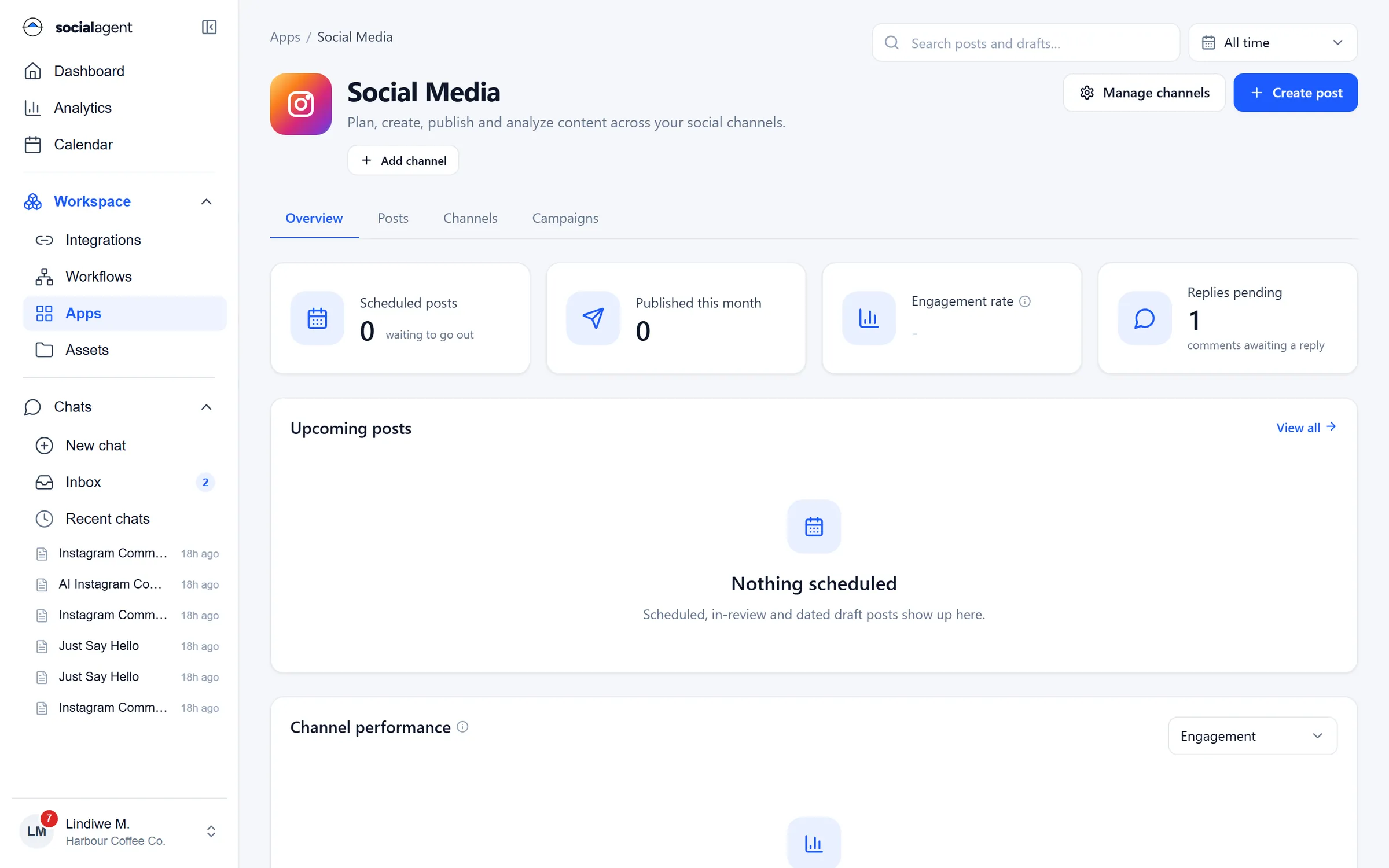
Social media overview: scheduled and published posts, engagement, replies pending and content pipeline

Measure

Analytics that lead to decisions

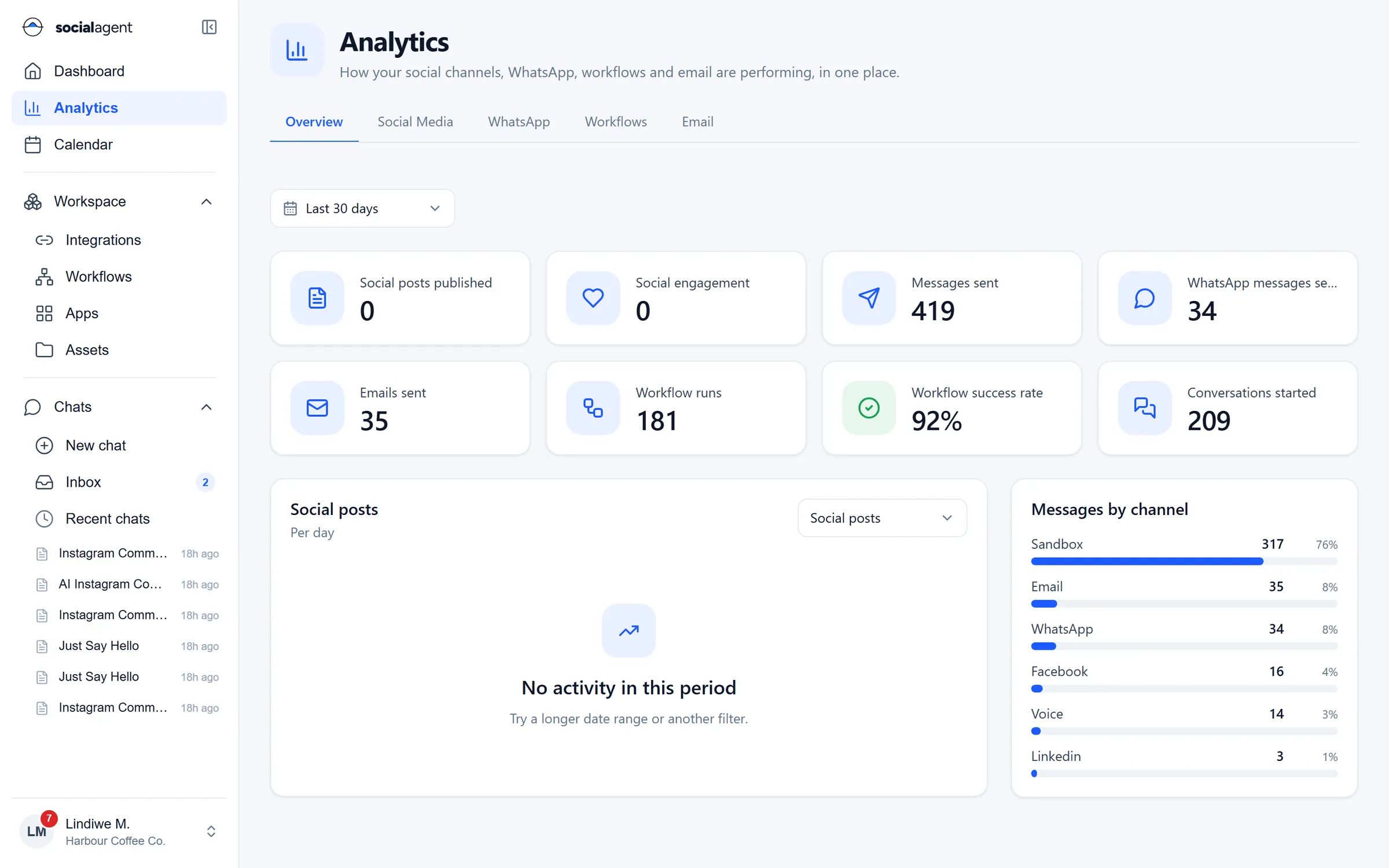
Compare channels, find the posts that worked and see social results next to WhatsApp and email. Engagement is calculated consistently so the numbers are comparable.

  • Channel and post level performance
  • Messages by channel across the workspace
  • Workflow success rates alongside content
  • Date ranges and filters that stick
Analytics overview: posts published, engagement, messages sent, workflow success rate and messages by channel

Guides

Learn more on the blog

FAQ

Social media: common questions

Still unsure? Ask our team.

Which social networks are supported?

Facebook Pages, Instagram business accounts, LinkedIn profiles and pages, X, TikTok and YouTube. You connect each account once and can publish, schedule and read analytics where the network allows it.

Can posts require approval before they go live?

Yes. You can require approval for every post, for specific channels or for anything the AI drafted. Approvers see a preview per network and can approve, reject or ask for changes.

Does the AI publish on its own?

Not unless you allow it. By default the AI drafts and a person approves. You can relax this per workflow once you trust the output.

What happens if a scheduled post fails?

The post is marked as failed on the calendar with the reason from the network, the owner is notified and you can retry or reschedule in one click.

Plan, approve and publish in one place

Connect your pages and ask the agent for your first week of posts.