


Skip to content

Workflows

If it has an API, it can be a step

Drag triggers and steps onto a canvas and connect everything you run: WhatsApp, social networks, email, SQL databases, servers over SSH and any HTTP API. Add AI where it helps and a person where it matters.

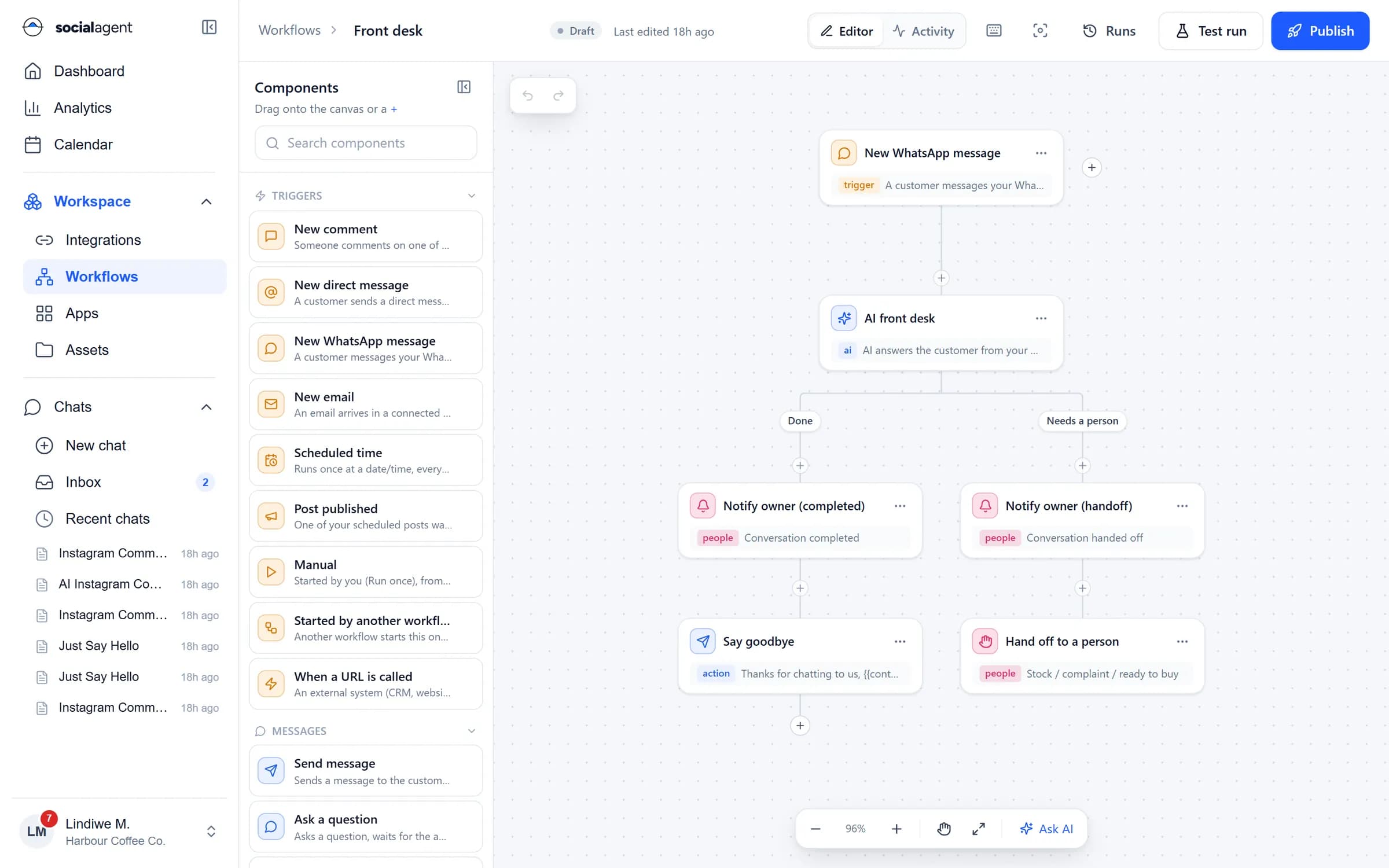
Workflow builder canvas: a WhatsApp message trigger, an AI front desk step and two branches for completed and handed-off conversations

Workflows

Limitless, but never out of control

  • Triggers

    Schedules, a webhook URL, new WhatsApp messages, DMs, comments, emails, published posts and other workflows.

  • Data steps

    Run parameterised SQL against PostgreSQL, MySQL or SQL Server with scoped credentials.

  • HTTP and webhooks

    Call any API with API key, bearer, basic or HMAC auth, or receive events on a webhook URL.

  • Servers

    Run approved commands on your servers over SSH, with output captured in the run log.

  • AI steps

    Classify, extract, summarise and draft inside a workflow, grounded in your own data.

  • Approvals

    Pause a run until the right person approves, then continue or take another branch.

Build

A canvas that reads like the process

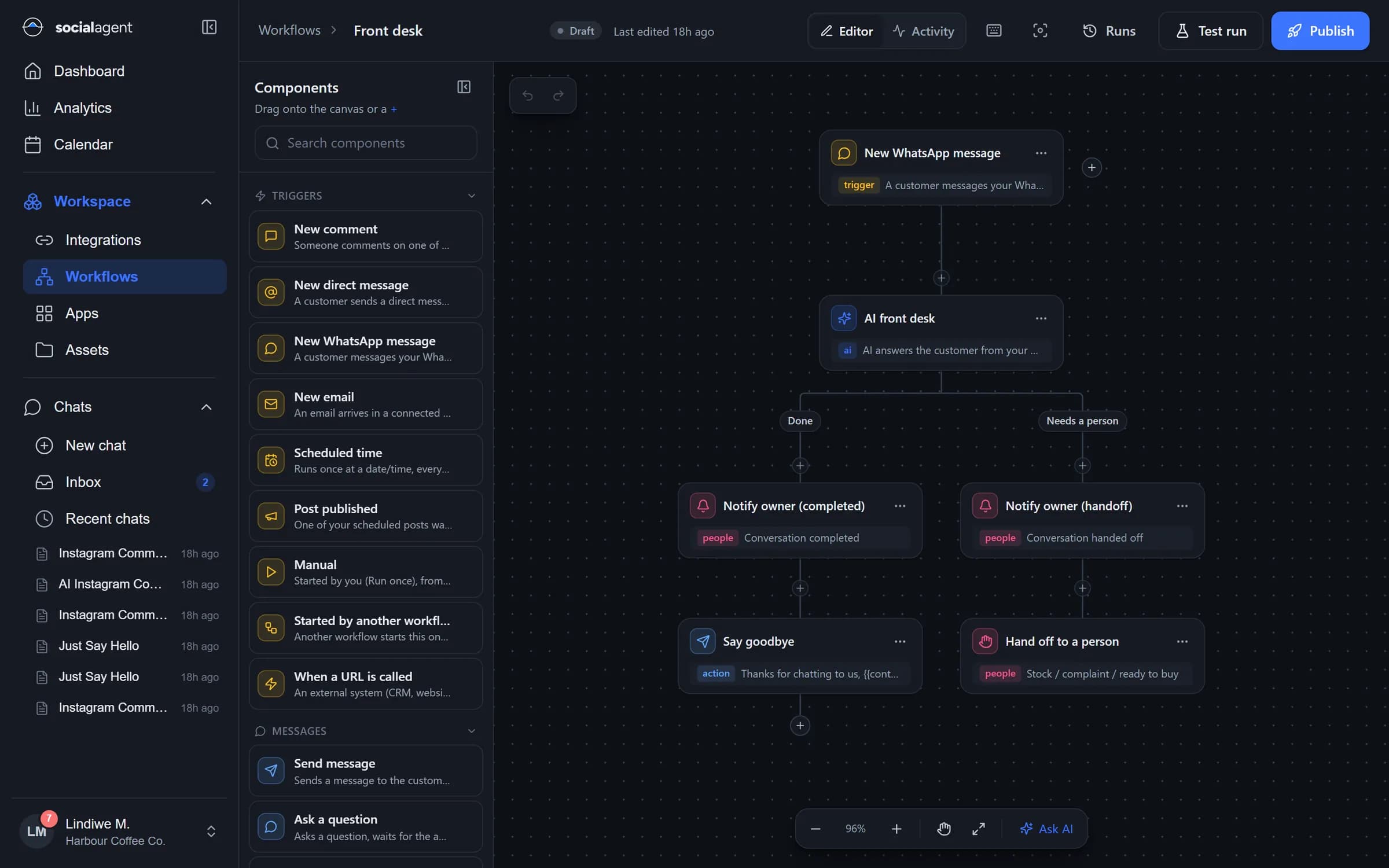
Branches, conditions and waits are drawn the way you would explain them. Every step shows what it needs and what it produces, and data flows from one step to the next without code.

  • Drag-and-drop steps with a searchable palette
  • Conditions, branches, loops and waits
  • Variables from earlier steps in any field
  • Ask AI to add or change steps for you
Workflow builder canvas: a WhatsApp message trigger, an AI front desk step and two branches for completed and handed-off conversations

Run

Every run explained, step by step

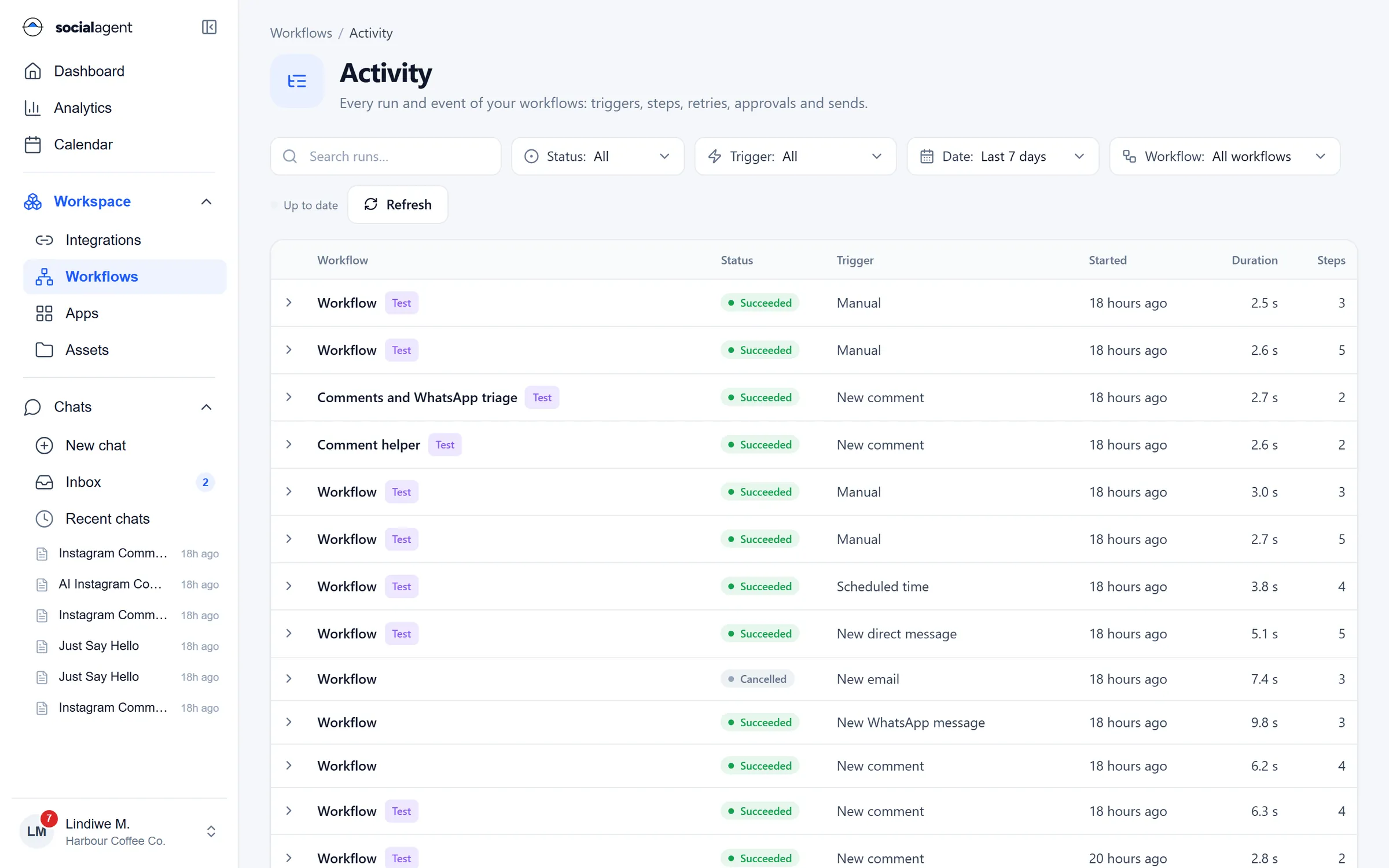
See each run with its trigger, duration and every step input and output. Failures show the error and the step where it happened, so fixing them is quick.

  • Run history with filters by status and trigger
  • Per-step inputs, outputs and timings
  • Test runs with sample data before you publish
  • Failed runs surfaced on the dashboard
Workflow activity: every run with status, trigger, start time, duration and steps

Start fast

Templates for the jobs everyone has

Start from a template for a WhatsApp front desk, comment replies with escalation, a nightly SQL report or a server health check, then adapt it to your systems.

  • Ready-made templates you can edit
  • Import workflows from a file
  • Draft, test and publish stages
  • Pause any workflow in one click
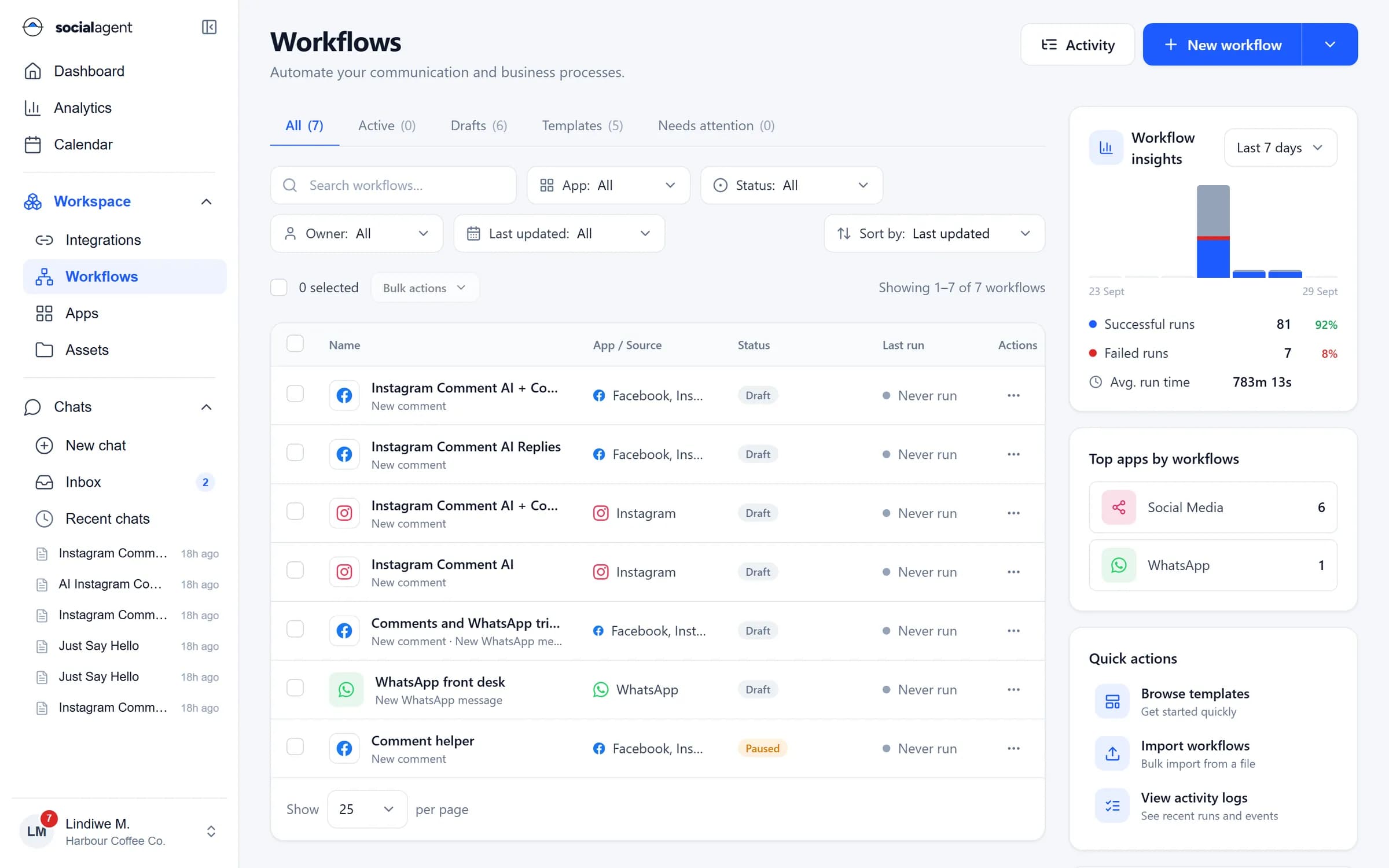
Workflows list with apps, status, last run and insights on successful and failed runs

Guides

Learn more on the blog

FAQ

Workflows: common questions

Still unsure? Ask our team.

Do I need to write code?

No. Workflows are built on a canvas with forms for every step. If you want to, you can still write SQL, call raw HTTP endpoints or run shell commands as steps.

Which systems can a workflow connect to?

WhatsApp, Facebook, Instagram, LinkedIn, X, TikTok, YouTube, Gmail, Microsoft 365, SMTP and IMAP email, PostgreSQL, MySQL, SQL Server, servers over SSH, webhooks and any HTTP API.

How are credentials handled?

Credentials are stored encrypted on the server and injected only when a step runs. They are never shown in the browser, in run logs or to the AI.

Can a workflow wait for a person?

Yes. Approval steps pause the run and notify the approvers. The run continues when someone approves, or follows another branch if it is rejected or times out.

How do I test safely?

Use test runs with sample data, the WhatsApp sandbox and test mode on integrations. Nothing is sent to real customers until you publish.

Automate the work between your systems

Start from a template or describe the job to the agent and let it draft the workflow.